
 Writing a blatant Telegram clone using Qt, QML and Rust. And C++.
This was a fun project for a couple of days, but I will probably shelve it for now so I can continue what I was already working on before. Read on to follow along with my journey.
Spoilers: I didn’t get very far.
Get ready for an Opinion Dump of an intro:
I have fond memories from 10 years ago of using Qt, and especially QML. It’s just so easy to think of a design and make it happen with QML. I chose to use Svelte for building Web Apps™ while it was still very beta just because it was the closest experience to QML I came across.
Rust is pretty great. Also been a huge fan of that since like 2012 when I saw an example on the front page where the compiler validated pointer usage at compile time without adding any extra work at run time. Basically black magic after trying to fix the worst kind of bugs in C++.
I became a full time Full Stack Web Developer against all my intentions. I like making user interfaces and solving hard problems though, so it’s not so bad. I have been wanting to make a properly “native” application for a while though.
I wonder if anyone out there is a full time Full Stack Film Developer (that sounded funnier in my head).
I like Telegram a lot, because I believe they have put the most love into their user interfaces out of all the chat programs I have seen. Also “Saved Messages” and being able to access all my messages from the last 10 years is pretty great. I also think Telegram is kinda lame in every other respect. I started trying out Element (a Matrix client) last week. The Android app is very decent these days, but the desktop app while clearly quite nice just doesn’t spark joy like Telegram’s desktop app. I played around with a bunch of other Matrix desktop clients just to see if the experience would be closer to Telegram, I could write a pros and cons list but that’s not why we’re here.
The “Element X” app (the X is for Xtreme, I guess) uses a Rust library called matrix-rust-sdk, which apparently solves many of the problems you might face while making a Matrix client. That might be useful later on.
Anyway, here’s a random project I started working on just because I felt like it would be fun to use QML again while trying to generally use Rust instead of C++.
Goal: Create a Telegram clone, whatever you already read the title.
Day One, Hour Zero
I’ve wanted to try using QML as the UI for a Rust app for a while, so that’s the driving force here. I’ve looked at some stuff in the past, but first I want to properly learn about what’s available.
- qmetaobject-rs
- cxx-qt
- Some other stuff that seems less good to build an app on top of, sorry everyone.
In hindsight I know I wanted:
cargo runto be decently fast, both clean and incremental- Hot reloading
- Ability to access all functionality of Qt if I wanted
I started with cxx-qt because it seemed like the most official way to do Qt development, and definitely lets you access all Qt functionality. I made a super bare bones “open a window” program which got me excited, and I committed it to a git repo and everything. I may have spent like 30 minutes at this point coming up with a name for it.
Provoke
I don’t mind it. It’s in italics so it must be fancy.
I then spent hours trying to find ways to make cxx-qt not do some really expensive code generation and recompilation step every time I saved, then found out that VS Code was running cargo check one way while in the terminal cargo check was doing some other thing, and effectively blowing the cache every time I switched from one to the other.
Anyway it all made me a bit sad and I just wanted to write some delicious QML for goodness sake, so I moved on to qmetaobject-rs knowing that it can’t just access literally any Qt type I like, but maybe it will let me write some QML sooner, and not have an upsetting building experience?
Basically, yes, I got some QML running like immediately, and the builds are super fast.
But not fast enough, I want some kind of hot reloading. I’m not putting up with this after using Svelte for years.
Actual good hot reloading is not very trivial to implement, but I don’t need it to be actually good. After a couple of failed attempts due to restrictions with qmetaobject-rs’s design (I do actually recommend qmetaobject-rs btw, it’s good), I ended up hacking together a thing that registers a “HotReload” object with QML, which internally keeps a “should hot reload?” Arc<AtomicBool>. When a QML file modification is detected, another “anything changed?” bool is set to true, then when the window gains focus and it sees that something has been modified, it sets that bool to true then literally quits the app.
I then have a loop that checks if hot reloading has been requested and boots up the event loop again and loads the new QML files. To answer your question from two sentences ago, I originally immediately rebooted the app when a file changed, but that closed the window and opened the window again over the top of Vee Ess Cohde, and I press Ctrl+S a lot. I then added a button to the window that I needed to click to make the reload happen, but the file-modification-then-window-focus trigger is much, much better.
// Watch the files:
let (tx, rx) = std::sync::mpsc::channel();
let mut watcher = notify::recommended_watcher(tx).unwrap();
watcher.configure(notify::Config::default().with_compare_contents(true)).unwrap();
watcher.watch(Path::new(qml_folder), notify::RecursiveMode::Recursive).unwrap();

let thread_dirty_state = dirty_state.clone();
std::thread::spawn(move || {
	while let Ok(change) = rx.recv() {
		if let Ok(change) = change {
			if let notify::EventKind::Modify(modification) = change.kind {
				thread_dirty_state.store(true, std::sync::atomic::Ordering::SeqCst);
			}
		}
	}
});

// The event loop, loop:
loop {
	hot_reload_state.store(false, std::sync::atomic::Ordering::SeqCst);
	let mut engine = QmlEngine::new();
	println!("------");
	println!("RELOAD");

	engine.set_property("HotReload".into(), hot_reload.pinned().into());
	engine.load_file(format!("{qml_folder}main.qml").into());
	engine.exec();

	if !hot_reload_state.load(std::sync::atomic::Ordering::SeqCst) {
		break;
	}
}

// Implementation of the HotReload object that gets registered with QML.
impl HotReload {
	fn reload_if_dirty(&self) {
		if self.dirty_state.load(std::sync::atomic::Ordering::SeqCst) {
			self.reload();
		}
	}

	fn reload(&self) {
		self.dirty_state.store(false, std::sync::atomic::Ordering::SeqCst);
		self.reload_state.store(true, std::sync::atomic::Ordering::SeqCst);
		QCoreApplication::quit();
	}
}
// Then from QML, the main window does this:
onActiveChanged: {
	HotReload.reload_if_dirty()
}
I can’t say it’s amazing, but it was easy to implement and it gets the job done.
QML has a Language Server now which is awesome, but I couldn’t figure out how to get it working so I just opened up Qt Creator and edited QML there (Qt Creator is actually very good, perhaps unexpectedly so for those who haven’t used it). I then did something later on which made the language server work so I could just use VS Code to edit it with all my lovely custom configs and keyboard shortcuts. I’m still not sure what I did to make it work. Might look into that later.
Well that was fun, moving on…
Hour Five
The great Telegram Ripping-Off begins.
Let’s start with the splitter that goes between the chat list sidebar and the actual chat. The sidebar has a 65px “collapsed” mode where it only shows icons of the chats, but the “normal” minimum is 260px. The right of the split can be min 380px. The provided splitter widget didn’t have enough features, so I just made my own one. That’s the great thing about a good UI language, you can just make your own one of a thing and it will be fun and not sad (just keep accessibility in mind even if you don’t implement it during the prototyping stage).
Here it is!
Note how the mouse cursor doesn’t stay as ↔ when it’s not exactly on the splitter. The built-in QML splitter had that problem 15 years ago, and it’s still like that now :(
If I could access QGuiApplication::setOverrideCursor I could make my splitter not have that problem, but as it stands, with my simple qmetaobject-rs project and 0% C++, I just can’t. Oh well, I’ll look into it later.
It’s a little bit buggy and the mouse doesn’t always line up with the splitter.
3am, same day
I got a bit carried away. My commit messages since the last section were: Various UI work, More UI stuff, Sidebar collapsing is much more advanced, and More UI work. Highly descriptive. I basically re-learned a tonne of stuff about QML, including how to make nice animations, and was honestly quite pleased with myself with how close I got some of the interactions to Telegram. There will be a lot more of that coming up.
Just watch the following motion picture!
I even created my own implementation of that Material Design growing-circle-inside-of-another-circular-mask thingo. I spent too long on this because I found what I wanted: OpacityMask, but realised it’s in the Qt5Compat.GraphicalEffects package because it’s basically deprecated. I then spent ages trying to figure out how to use MultiEffect to do the same thing and found that its mask feature seems to treat alpha as a boolean (could be wrong here, I just couldn’t make it work), then I went down the next rabbit hole of writing a custom shader effect, then because that was obnoxiously difficult to get ShaderEffect working, I just went back to using OpacityMask. Problem solved I guess.
Next Day, or Same Day, Depending On How You Think About It
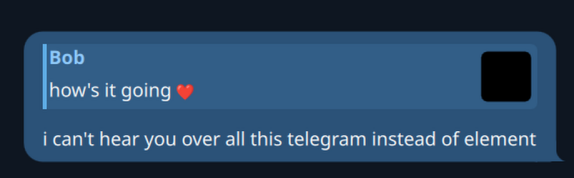
I made a chat bubble. That little tail thing in the bottom right was fun. It’s in the bottom left if someone else sent the message, how thoughtful. I used Inkscape to make a little thingy like this:

Then copy-pasted the path into a PathSvg item in QML:
path: (root.other
	? "m 40,-8 c 4.418278,0 8,3.581722 8,8 v 16 c 0,4.418278 -3.581722,8 -8,8 H 0 C 8.836556,24 16,16.836556 16,8 V 0 c 0,-4.418278 3.581722,-8 8,-8 z"
	: "M 8,-8 C 3.581722,-8 0,-4.418278 0,0 v 16 c 0,4.418278 3.581722,8 8,8 H 48 C 39.163444,24 32,16.836556 32,8 V 0 c 0,-4.418278 -3.581722,-8 -8,-8 z"
)
But who cares about that when Telegram has this very cool, swoonworthy emoji-reaction popup!
That’s Telegram, not my work. Wait, so it has one row of 7 emojis, but then you click the expand button and that row becomes the first row of emojis in a scroll view, following a search box that appears above, also inside the scroll view. Also, the expand button fades away, revealing that the row had 8 emojis the whole time?!?!? What snazziness to live up to. Let me have a go:
Wait, did that emoji reaction popup just go outside the window? Be still my beating heart.
So that’s cool. What else is there?
Message selection, what a rush!
Just in case you didn’t notice, Spectacle is Recording.
“I am glad I downloaded 1.6mb to watch that just then. Why is he expanding and collapsing the side bar again again and again? I thought he already did that in a previous video?”
Look closer!
This was surprisingly hard to record ‘cause I drew a rectangle around the system tray icon then when I clicked record, the “stop recording” system tray icon appeared and pushed my icon out of view :(
Here’s my first attempt:
Captivating.
At first I was going to use a Rust library to implement the tray icon, then I remembered that Qt actually comes with that functionality. My main concern was the possibility of making the number appear in the icon without it being a huge pain. I was thinking I would have to get some C++ action going to make this work, then after much too long, I realised that QSystemTrayIcon is actually in the QWidgets library so I’d have to pull all that in just to get it working! Then a lightbulb appeared. What if QML has its own version? The answer to that is yes, it’s called SystemTrayIcon, but it’s under Qt.labs.platform which means it’s experimental. Good thing I don’t care about that.
So the trick was to get the number on the icon, like I mentioned before. The icon.source property of SystemTrayIcon takes a URL to an icon. That’s awkward. What am I to do? Create some kind of virtual file system that I can upload new icon pictures to that have the number overlay? Create 100 icons for all the possible counts? Is there some kind of built-in way to get a URL to a custom picture in Qt? That would be pretty fancy.
Turns out Qt is pretty fancy.
It’s actually pretty sweet. Basically what you do is create a normal UI with QML:
Image {
	id: trayImageItem
	source: "qrc:/icons/icon_margin.svg"
	width: 64
	height: 64

	Rectangle {
		anchors.right: parent.right
		anchors.rightMargin: 1
		anchors.bottom: parent.bottom
		anchors.bottomMargin: 1
		width: messageCountText.implicitWidth + 6
		height: messageCountText.implicitHeight
		color: "#f23c34"
		radius: 16
		visible: root.messageCount > 0

		Text {
			id: messageCountText
			x: 3
			text: root.messageCount > 99 ? "+" : root.messageCount
			color: "white"
			opacity: 0.9
			font.pixelSize: 30
			font.weight: Font.Bold
		}
	}
}
Then create a ShaderEffectSource, which captures a new image of the trayImageItem whenever it changes (even if it is invisible, which is very important in this situation):
ShaderEffectSource {
	id: trayImageSource
	anchors.fill: trayImageItem
	sourceItem: trayImageItem
	visible: false
	live: true
	hideSource: true
}
Then whenever the message count changes, I call updateTrayIcon():
function updateTrayIcon() {
	trayImageSource.grabToImage(result => {
		trayIcon.icon.source = result.url
	})
}
result.url looks something like itemgrabber:#1, so basically Qt implements exactly that crazy idea I described above. Neat.
The system tray task convinced me to finally make an icon:
I didn’t want a speech bubble, it’s already been done, and I wouldn’t want this app to be mistaken for any app that’s already on the market. I was thinking of a horn or something, but it needed to kinda fill the space so I went for a megaphone look. It also kinda looks like an axe, which goes well with the name Provoke I guess.
Alright, time for some C++
I haven’t written any C++ in years. It still lives on in my brain though, in the “things that are extremely complicated and over-engineered, but actually kind of awesome” section.
I do not want to make my build much more complicated to make this work, or add more complexity than it deserves. I just want to be able to access some stuff in Qt that isn’t exposed to Rust or QML yet, without it being a pain to work with.
After some research I decided the best way to go about that would be to just use Qt properly the way it was intended, but keep it slim. Following was much experimentation then a chosen solution:
- Make a folder called “cpp”
- Put a CMakeLists.txt file in it, and a cpp/hpp pair
cmake_minimum_required(VERSION 3.16)

project(provokecpp LANGUAGES CXX)

set(CMAKE_CXX_STANDARD 17)
set(CMAKE_CXX_STANDARD_REQUIRED ON)

set(CMAKE_AUTOMOC ON)

find_package(Qt6 COMPONENTS Core Gui Qml REQUIRED)

qt_add_library(provokecpp STATIC
	provokecpp.cpp
	provokecpp.hpp
)

target_link_libraries(provokecpp
	Qt6::Core
	Qt6::Gui
	Qt6::Qml
)
- Write some QObjects the old-fashioned way, then
extern "C"a function which registers stuff with QML.
QObject* provoke_tools_singleton_provider(QQmlEngine* engine, QJSEngine* jsEngine) {
	return new ProvokeTools();
}

extern "C" void register_provoke_qml_types() {
	qmlRegisterSingletonType<ProvokeTools>("provoke", 1, 0, "ProvokeTools", provoke_tools_singleton_provider);
	// This sounds like it would solve that problem that I had with my Splitter!
	qmlRegisterType<OverrideMouseCursor>("provoke", 1, 0, "OverrideMouseCursor");
}
- “You keep talking about Rust, but mostly you’ve just written QML and C++, I feel ripped off” - Fair enough, but I intend to use Rust for the “model” layer and any custom UI elements and logic that call for native code. That stuff just hasn’t really come up yet.
- Add a
build.rsfile and use thecmakecrate to build the “cpp” folder. I find this part quite cool, as you don’t even see it running the C++ compiler when you docargo runand all the build stuff happens in thetargetfolder with everything else. It even caches the result and only re-runs the C++ build if a dependency changes:
fn main() {
	let dest = cmake::Config::new("cpp")
		.build_target("all")
		.build();

	println!("cargo::rerun-if-changed=cpp/CMakeLists.txt");
	println!("cargo::rerun-if-changed=cpp/provokecpp.cpp");
	println!("cargo::rerun-if-changed=cpp/provokecpp.hpp");

	println!("cargo::rustc-link-search=native={}/build", dest.display());
	println!("cargo::rustc-link-lib=static=provokecpp");
}
- From Rust, import the symbol and call it on startup:
unsafe extern "C" {
	unsafe fn register_provoke_qml_types();
}

...

register_provoke_qml_types();
This isn’t exactly innovative, but there were lots of ways to go about solving this problem. It’s a nice setup, and I can forget it’s even there. It builds pretty much instantly (for now). I can even export more extern "C" functions as needed.
And then I wrote the important news alert that you just finished reading
Here we are.
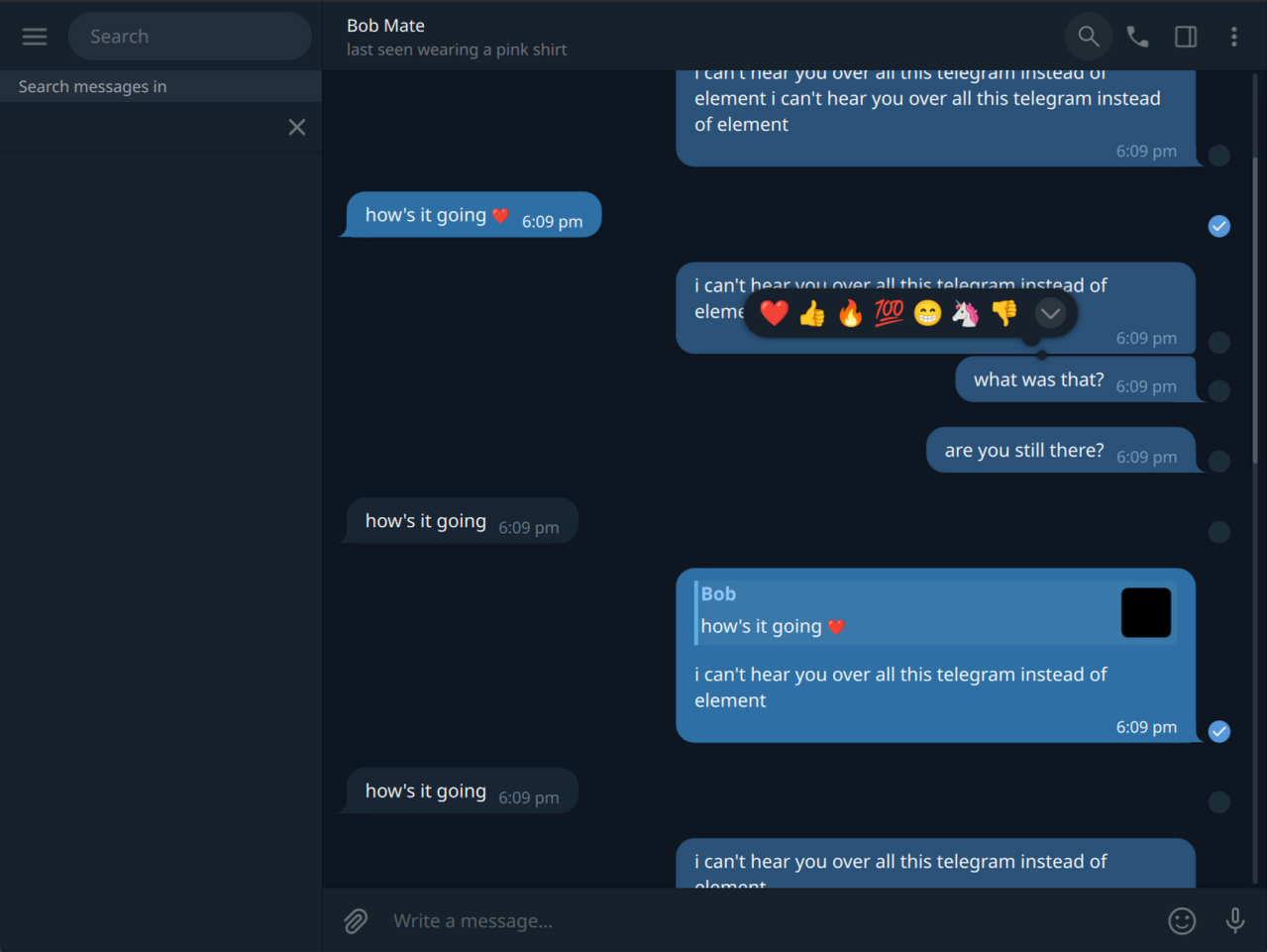
I Can’t Believe It’s Not Telegram.
I keep mistaking it for the real Telegram so I think the illusion is working.

Other is my favourite language, I’m surprised I didn’t use it more.
Will he keep working on it? Will it grow to become the worlds most popular messenger app due to its superior user experience? Will he even keep working on it after this? Will he go back to working on that game engine? Or that sewing pattern CAD idea? Will there ever be another blog post on this website?
Find out on the next episode of App Dev By That Guy!